RetireShield Guide · 2026–2027 Edition
One signed form decides who gets your IRA, 401(k) and life insurance. Here's how to check every one.
IRAs, 401(k)s, pensions, annuities and life insurance go to the person named on the form. Most people filled those forms in years ago and never looked again. This guide shows you how to find out who is named, get it in writing, and fix what's wrong, in one afternoon.


Sound familiar?
You signed the form years ago. It still says what it said that day.
Marriages ended, people died, grandchildren were born, companies merged. The form wins over the will, and most people never look at it again.
- An ex-spouse may still be named on a work plan
- No backup name, so the money could go through probate
- A 401(k) from an old job you haven't checked
- A grandchild or heir who can't take the money directly
What you get
Nine moves. Find every form, then make each one right.
- List every account that passes by a form, old jobs included
- Get each company's record in writing. Your memory doesn't count
- Name a backup on every form, so nothing lands in probate
- The ex-spouse trap: when divorce doesn't erase the old form
- Your spouse's rights on 401(k)s and pensions
- Children and grandchildren: minors, custodians and per stirpes
- Heirs on SSI or Medicaid, and how an inheritance can cost them benefits
- Bank accounts, savings bonds, the house and the car

What's inside
What's in the guide.
The form wins over the will
What to have ready, and why only the company's own record counts.
The 60-second scan
Tick what fits you. Each line points to the move to do first.
Step by step, with official links
What to ask each company, and when to see an attorney.
Master list and request letter
One line per account, and a letter that asks the company to confirm in writing.
IRS, Labor Dept., SSA, FDIC, Supreme Court
Checked October 2026. Every rule linked to where it comes from.
Large-print and audio editions
The same guide in big type, and read aloud (about 10 minutes). Listen on any phone, tablet or computer.
Look inside
Real pages from the guide.


How it works
Beneficiary Audit
Card, Apple Pay or PayPal · secure checkout
Instant download, large print and audio included, 30-day money-back promise.
PROMISE
Read it. Use it. If it isn't for you, get every penny back.
Email us within 30 days for a full refund. You keep the files.
Questions
I already filled in my forms. Why check?
The form still says what it said the day you signed it. Since then, marriages may have ended, people may have died, grandchildren may have been born, and companies may have merged. What you remember may not be what the company has on file.
Is this legal advice?
No. It's an educational guide. Divorce, a beneficiary on government benefits, or a trust all call for a licensed attorney in your state, and the guide tells you when.
When do I get it?
Immediately. The download appears on your screen the moment you pay, and a copy is emailed to you at once.
Is this a subscription?
No. It's one payment. There is nothing recurring and nothing to cancel.
Is it easy to read?
Yes. Plain English, short sections, and large-print and audio editions are included. It opens on any phone, tablet or computer, and prints cleanly.
What if it's not for me?
Email us within 30 days for a full refund. Keep the files.
RetireShield is independent and is not affiliated with, endorsed by, or connected to any government agency, plan or insurer. This product provides educational information, not legal, tax, financial, insurance or investment advice.
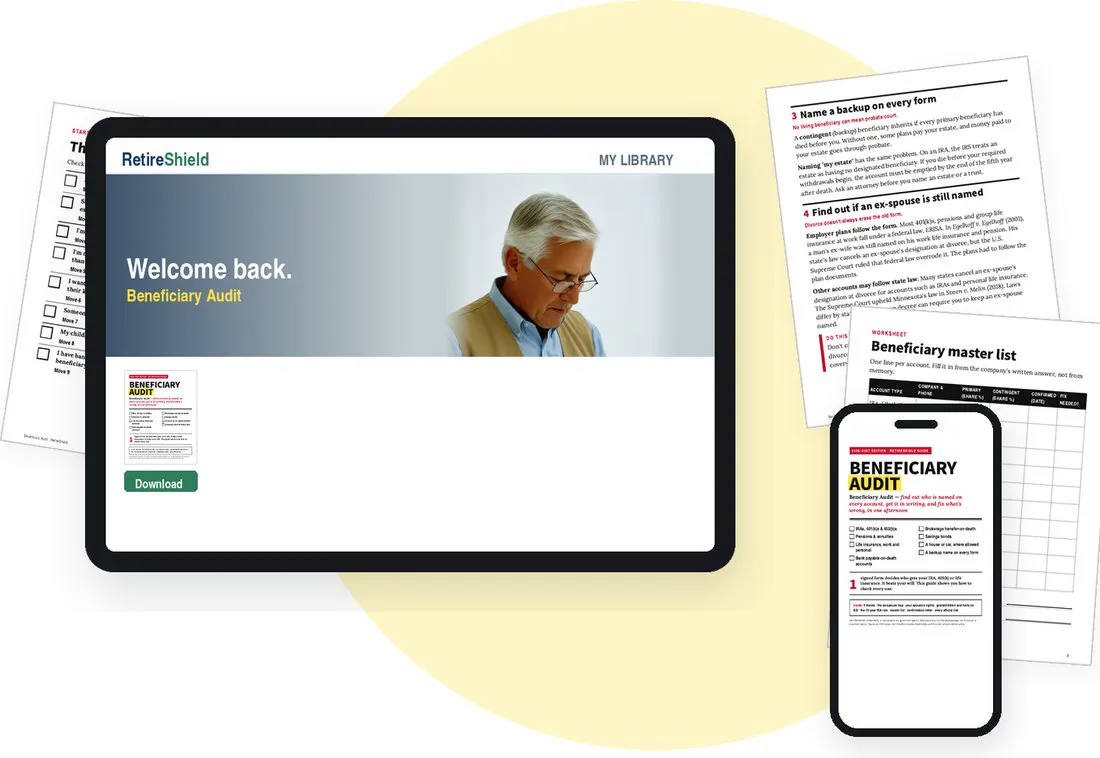
Make sure your money goes where you want. One afternoon, $27.
Instant download, large print and audio included, 30-day money-back promise.
Get the guide — $27